

FAQ structured data (FAQPage)
On every page that shows a FAQ, AnswerKit adds a block of FAQPage structured data, in the JSON-LD format Google recommends. You have nothing to write: the block is built from the questions shown.
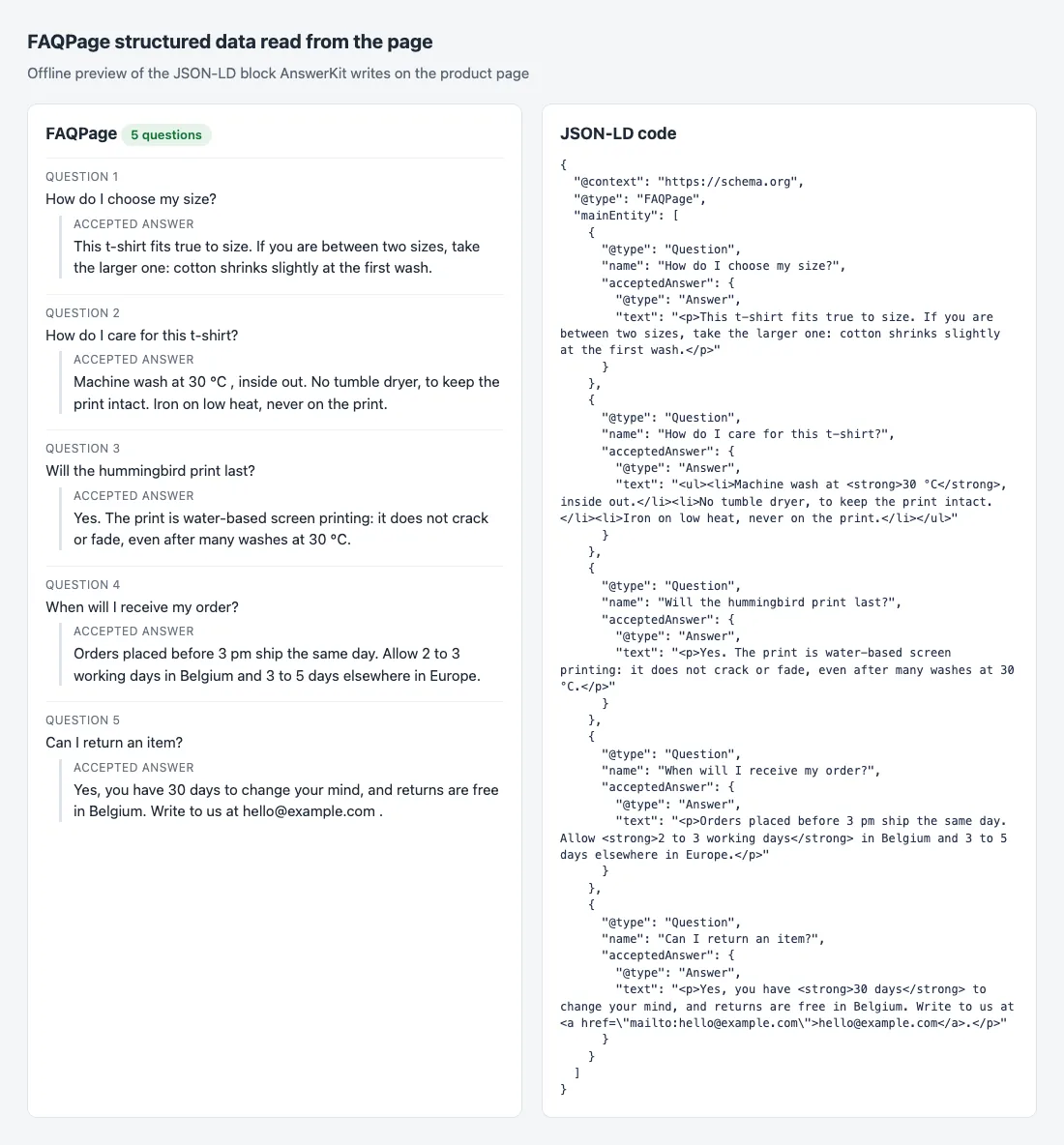
What AnswerKit writes
- One FAQPage block per page, never two, even when the page mixes the product’s questions with the All products ones.
- Exactly the questions visible on the page, in the page language and in the same order: no question hidden in the code, which Google forbids.
- Answers keep the formatting Google accepts: paragraphs, lists, links, bold and italic.
- Nothing on pages 2, 3… of a category or brand, to avoid duplicate content.
- A question that is turned off, or has no text in the page language, is not in the block.
What Google does with it in 2026
Let us be clear: Google no longer shows FAQs in its search results. From 2023 these rich results were limited to government and health sites; they were then removed for all sites (see Google’s FAQPage documentation). Be wary of a module that still promises foldable questions under your link in Google.
So why keep the markup?
- It is valid and safe: FAQPage is still an official schema.org type, no engine penalizes correct markup.
- Answer engines read it: assistants and AI-based search engines look for clear question and answer pairs, and a FAQPage block gives them exactly that.
- The real gain is on the page: questions written the way your customers type them add unique text to each product page and match long searches (“how to wash a printed t-shirt”). That visible text is what counts for SEO and for conversion.
When to turn the markup off
In Display, set Add FAQPage structured data to No if:
- your theme or an SEO module already adds a FAQPage block on the same pages (two FAQPage blocks on one page are flagged as an error by testing tools);
- you want to show the FAQ without any markup, for a reason of your own.
The visible FAQ does not change: only the code block goes away.
Check your pages
- Open a product page that has a FAQ and copy its address.
- Paste it into the Schema.org validator (or Google’s Rich Results Test).
- You should see one FAQPage item, with your questions, without errors.
Google’s test may say the page is not eligible for any FAQ rich result: that is expected since the removal described above, and it is not a markup error.
If the validator finds two FAQPage items, turn off AnswerKit’s or the other module’s.